Let's be honest, we're all drowning in a sea of digital paperwork. From PDFs and invoices to contracts and reports, the chaos of unstructured documents is a massive time-sink for everyone. Document Artificial Intelligence is the technology that teaches computers to read, understand, and process all of it—just like a human, but at a scale we can only dream of.
It’s the key to turning messy digital files into organized, actionable data, automatically.
What Is Document Artificial Intelligence?
Think of Document AI as a brilliant assistant who can instantly read, understand, and sort thousands of documents without getting tired or making mistakes. It goes way beyond just seeing the words on a page. It actually comprehends the context and structure, allowing it to perform tasks that once required a sharp pair of human eyes.
Why This Technology Matters Right Now
The move to digital everything has created a tidal wave of unstructured data—valuable information locked away inside PDFs, scans, and emails. In fact, an estimated 80-90% of all business data is unstructured, which means critical insights are just sitting there, completely untapped.
Document AI is what finally unlocks all that hidden value, making it searchable, usable, and organized.
This is why the market is exploding. The Document AI industry is projected to jump from USD 32.8 billion to a staggering USD 185.3 billion by 2034. That massive growth shows just how urgently businesses need a smarter way to handle document overload.
At its core, Document AI is about teaching machines one of the most fundamental human skills: reading comprehension. It's not just about recognizing characters; it's about understanding meaning, relationships, and intent within a document.
From Simple Reading to True Understanding
Ultimately, Document AI automates the high-volume, repetitive tasks that bog everyone down, freeing up people to focus on more strategic work. It’s a crucial piece of a bigger puzzle focused on making document-centric workflows smarter and faster.
To get a clearer picture of how this technology works across different industries, check out this excellent guide on Intelligent Document Processing. It breaks down how AI is changing the game for document handling and shows you how to apply it today.
The Core Technologies That Power Document AI
So, how does Document AI actually work? How does it take a static PDF—like a scanned invoice or a dense legal contract—and magically pull out the important bits?
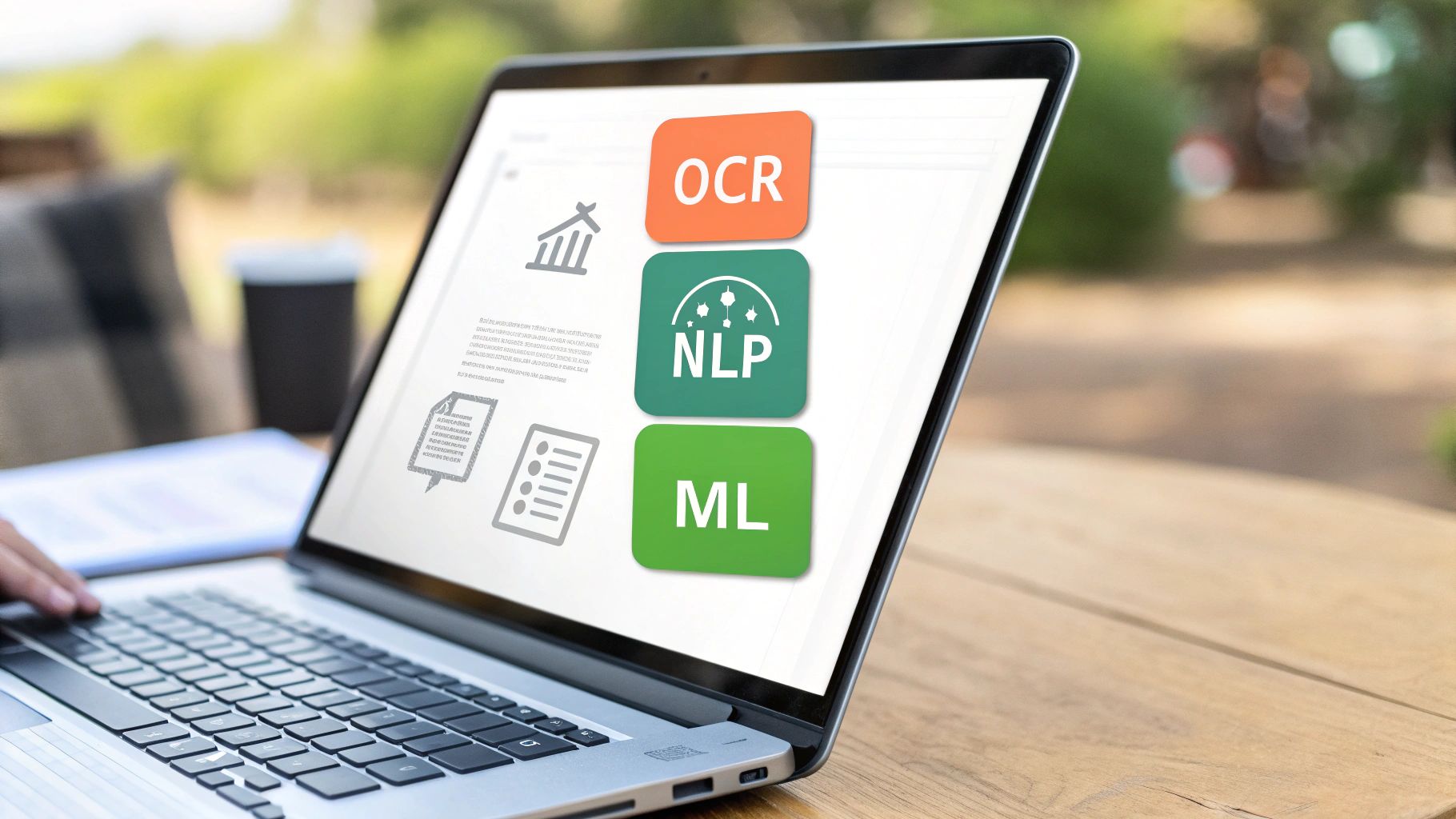
It’s not one single piece of technology, but a team of three working together. Think of it like a smart assembly line where each station has a unique job: one sees the text, the next understands it, and the last one learns from the experience.
Let's break down the big three: OCR, NLP, and ML.
Optical Character Recognition: The Eyes of the System
First up is Optical Character Recognition (OCR). This is the starting point for everything. Its only job is to look at a document and turn the picture of text into actual, machine-readable text.
Imagine you’re looking at a scanned receipt. To a computer, that’s just a single, flat image. OCR is what scans that image and converts the pixels into letters and numbers your computer can copy, paste, and understand.
It’s an essential first step. Without it, the AI is blind. If you want to see this tech in action, a good place to start is an OCR PDF converter that makes scanned files searchable.
Natural Language Processing: The Brain That Understands
Once OCR has pulled out the raw text, Natural Language Processing (NLP) steps in. This is the brain of the operation. NLP takes the string of words and figures out what it all means.
It’s the difference between just reading "Invoice Total: $542.19" and actually understanding that $542.19 is the amount due. NLP is what identifies key pieces of information, like:
- Entities: Spotting a person’s name, a company, or an address.
- Intent: Figuring out if the document is an invoice, a contract, or a resume.
- Relationships: Knowing that "Jane Doe" is the "client" and "Acme Corp" is the "vendor."
In short, NLP moves the process from simple transcription to genuine comprehension. It’s what gives Document AI its "smarts."
Machine Learning: The Ability to Improve
The final piece of the puzzle is Machine Learning (ML). This is what allows the system to get better and more accurate over time. It’s the part that learns from experience.
Think about it: the first time the AI sees a weirdly formatted invoice, it might get confused. But after being trained on thousands of different invoice layouts, the ML models start recognizing patterns. They learn where to look for the due date or the total amount, even if the layout is completely new.
Each document it processes becomes a lesson, constantly refining its accuracy. This is what makes Document AI so powerful and adaptable to the messy, real-world documents we all deal with every day.
To make it even clearer, here’s a quick summary of how these technologies work together.
Core Technologies of Document AI
This table breaks down the job of each core component in a simple way.
| Technology | Analogy | Primary Function |
|---|---|---|
| OCR | The Eyes | Sees an image of a document and converts it into raw text. |
| NLP | The Brain | Reads the raw text and understands its meaning and context. |
| ML | The Memory | Learns from past documents to get smarter and more accurate. |
By combining these three powerhouses, Document AI can read, understand, and learn from any document you throw at it, turning chaotic information into organized, actionable data.
How Document AI Actually Helps with Everyday PDFs
The theory behind document artificial intelligence is cool, but its real value comes from turning tedious, everyday tasks into simple, automated actions. Think of it as a productivity boost that transforms hours of manual work into seconds. If you deal with PDFs regularly, the benefits are immediate and obvious.
Ever stared at a 50-page academic journal as a student? Instead of slogging through every line, Document AI can give you a summary, pulling out the key arguments, data, and conclusions. You get the gist in minutes and can spend your time on analysis, not just reading.
A Game-Changer for Professionals
In a business, the impact is even bigger. Picture an accounts payable team getting hundreds of invoices a week, all with different layouts. Manually typing vendor names, invoice numbers, and totals into a spreadsheet is slow and a perfect recipe for typos.
Document AI completely automates this. It can:
- Tell the difference between an invoice, a purchase order, or a receipt.
- Pull out key information like vendor details, line items, and due dates.
- Feed that data directly into your accounting software or a spreadsheet.
This is exactly how the tech kills off repetitive work. For a closer look at this process, check out our guide on how to extract invoice data from PDF files with smart tools. This one change can save a small business dozens of hours every month.
The goal here is simple: let AI handle the boring, rule-based tasks so people can focus on making decisions and solving real problems. It’s about working smarter, not harder.
Simplifying Complex Legal and Financial Reviews
For legal and finance pros, accuracy is everything. Reviewing contracts or financial reports for tiny changes is an exhausting, high-stakes game. One missed word or an altered number can cause massive problems.
This is where AI-powered comparison tools are a lifesaver. Instead of putting two documents side-by-side and squinting to spot the differences, Document AI does it for you in an instant.
Here’s a look at what an AI-powered PDF comparison tool does in action:
The tool visually flags every single addition, deletion, or change, giving you a clear, side-by-side summary. It makes it practically impossible to miss subtle edits, ensuring total accuracy and saving you critical review time.
From students speeding up their research to businesses automating their finances and legal experts ensuring contracts are airtight, document artificial intelligence offers a practical fix for common PDF headaches. It cuts down on manual labor, slashes errors, and frees you up for the work that actually matters.
Finding the Right Document AI Solution for You
So, you’re ready to bring Document AI into your workflow. Great! But choosing the right tool can feel a bit like picking a car—do you need a race car, a daily driver, or a custom-built truck? The options usually fall into three main categories, and your choice really boils down to what you need to do, whether that's taming a few PDFs a week or processing thousands an hour.
Let's break them down.
The Three Flavors of Document AI
First up are the big, out-of-the-box platforms. Think of these as the specialized industrial machines of the document world. They’re designed to do one high-volume task incredibly well, like churning through thousands of invoices or insurance claims every day. They're powerful, for sure, but often come with a hefty price tag and a complicated setup. This makes them a great fit for a large department with a single, repetitive document headache.
Next, you have integrated tools. These are the AI features built right into the software you already know and love, like the smart functions in a web-based tool like PDFPenguin. These are perfect for just about everyone else—students, freelancers, and small businesses. They give you the power to handle all sorts of tasks, like comparing two drafts of a report or pulling data from a scanned receipt, without any fuss or technical know-how.
Finally, there are the custom-built enterprise systems. These are the bespoke, tailor-made solutions for massive corporations facing unique document challenges nobody else has. They are incredibly powerful and completely customized, but they’re also the most expensive and demanding option, requiring a whole team of engineers to build and maintain.
The best approach is simple: match the tool to the task. For most of us dealing with daily document challenges, an easy-to-use integrated tool gives you the perfect mix of power and simplicity, without the cost and complexity of a giant enterprise system.
To make it even clearer, this decision tree shows how different people—from a student to a legal pro—might pick the right AI workflow.
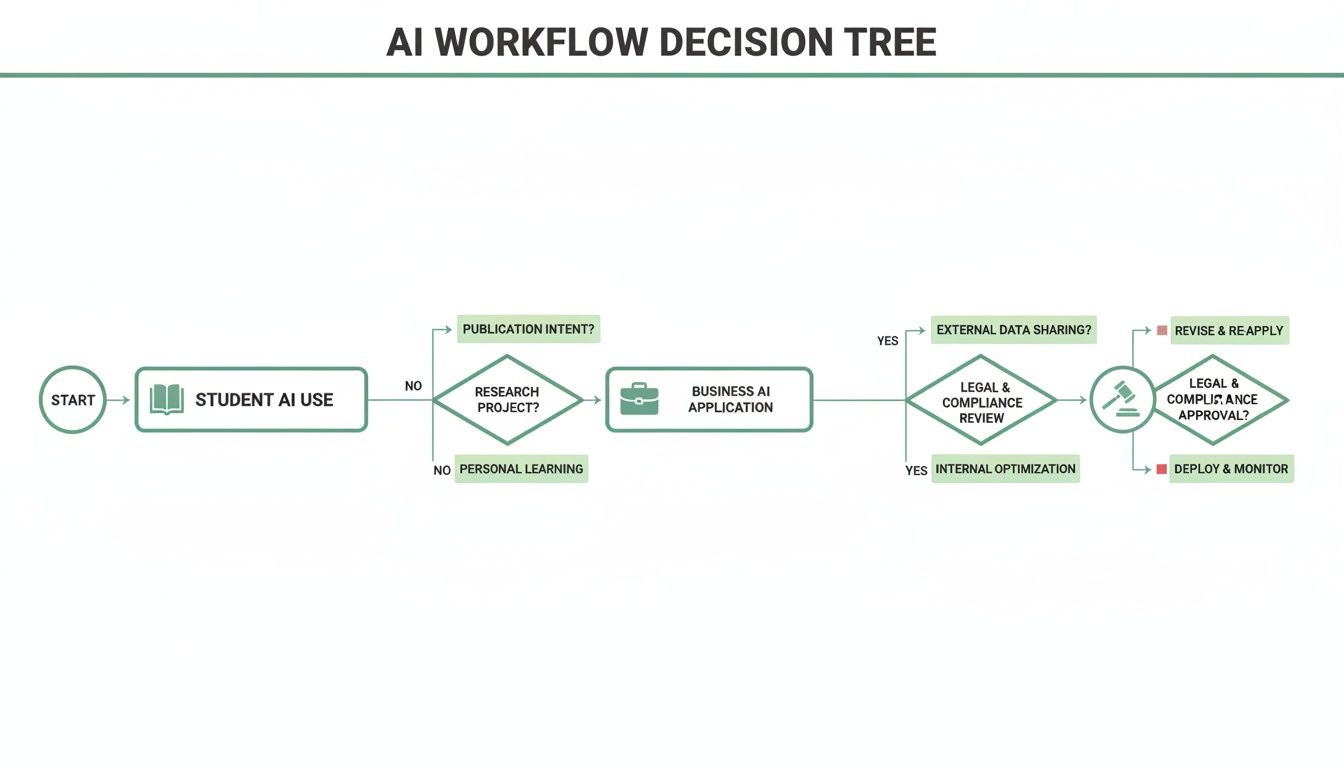
As you can see, there’s a smart solution for just about any need, whether you’re studying for an exam or finalizing a multi-million dollar contract.
AI for Everyone, Everywhere
This shift toward easy, accessible AI isn't just happening here—it's a global trend. In the Asia Pacific region, for example, the Document AI market is exploding with a projected 24% CAGR.
What’s fueling that incredible growth? Affordable, cloud-based tools that put world-class AI into the hands of small businesses, students, and freelancers. Power that was once locked away in corporate data centers is now available to anyone with an internet connection. If you're looking to dive in, checking out a list of the best AI tools for academic research is a great place to start exploring what’s out there.
How to Implement Document AI Securely and Effectively

Jumping into any new technology brings up fair questions about security and how to actually get started. When it comes to document artificial intelligence, a smart, step-by-step approach gets you all the benefits without the headaches. The trick is to start small, double-check security, and pick tools that put your privacy first.
Don't try to boil the ocean by automating everything at once. Pick one simple, high-impact task to start with. A great first project is extracting specific details from a standard document, like pulling phone numbers from new customer forms. This gives you a quick, clean win and helps you get a feel for the process.
From there, you can choose a tool and run a small test to see how it handles your real-world documents.
Starting Your Implementation Journey
A successful rollout doesn't have to be a massive, six-month project. It’s all about taking small, manageable steps that build momentum and show value right away. A simple plan helps you sidestep common mistakes and makes adoption feel effortless.
-
Define a Clear Goal: Pinpoint one repetitive task that’s eating up time. Is it manually keying in invoice details? Or maybe sorting and renaming scanned receipts? Having a specific target makes it easy to know if you've succeeded.
-
Select an Appropriate Tool: Find a solution that fits your comfort level and the size of your task. For most people, a good browser-based tool strikes the perfect balance between power and simplicity, with no complicated installation needed.
-
Run a Pilot Program: Before committing, test the tool with a small batch of non-sensitive documents. This is a low-risk way to check its accuracy and see if the workflow actually works for you.
Prioritizing Security and Data Privacy
When you're dealing with documents, security is everything. It’s absolutely critical to know how a service protects your data before you upload a single file. Luckily, it’s pretty easy to spot a secure provider if you know what to look for.
Always stick with platforms that use HTTPS encryption. Think of it as a secure, armored tunnel that protects your data as it travels across the internet. Just as important, you need to read the provider's privacy and data handling policies. Good services are upfront about how they manage your files.
One of the biggest signs of a trustworthy tool is a clear policy on data retention. The best platforms often delete your files automatically after a short period, making sure your sensitive information isn’t just sitting on their servers forever.
This is standard practice for privacy-first tools like PDFPenguin. It ensures your confidential data stays private and under your control, giving you the confidence to dive into automation. For developers building bigger systems, understanding the security behind a document processing API is just as crucial.
Here's the rewritten section, designed to match the human-written, natural style of the provided examples.
Getting Started with AI Document Tools Today
You don’t need a massive budget or a team of data scientists to start using document artificial intelligence. The best way to see what it can do is to just… try it. Pick a real, annoying problem you face every day and solve it with a simple tool.
Forget about overhauling your entire workflow. Just start with one small win. This hands-on approach cuts through the hype and shows you the practical benefits right away, without any complicated setup or credit card required.
Your First Steps into Document AI
Instead of boiling the ocean, pick one simple task that’s been bugging you. The goal is to see how AI makes life easier from the very first click.
Here are a few easy ideas you can try right now:
- Compare Two Document Versions: Ever wonder what really changed in a revised contract? Use an AI-powered comparison tool to instantly spot every single addition and deletion. No more manual scanning.
- Make Scans Searchable: Got a scanned receipt or an old handout saved as an image? Run it through an AI tool to turn it into a fully searchable PDF. The AI finds all the text, so you can find what you need in seconds.
- Extract Key Information: Upload an invoice and watch the AI automatically pull out the vendor's name, the total amount due, and the payment deadline. It’s like having a personal assistant for your paperwork.
The goal here is to find a low-effort, high-reward task. By solving a small but persistent problem, you’ll quickly see how document AI can make your work simpler and more efficient.
Tools like the ones offered by PDFPenguin are built for exactly this. They give you a simple, risk-free way to see how AI can make managing your documents feel effortless.
Document AI FAQs
As you start exploring what AI can do for your documents, a few questions always seem to come up. Getting clear answers is the key to figuring out how this tech can actually help you. Here, we'll tackle the most common queries to clear up any confusion.
What’s the Difference Between Document AI and Basic OCR?
Think of basic OCR (Optical Character Recognition) as a digital typist. Its only job is to look at an image of text and type out the characters it sees. It can tell you what the words are, but it has no idea what they mean. It’s a useful first step, but that’s where it stops.
Document AI is the whole package. It uses OCR as its "eyes" but adds a "brain" powered by Natural Language Processing (NLP) and Machine Learning (ML). This lets it not only read the text but actually understand its context, structure, and importance.
For example, a simple OCR tool reads "Invoice #: 12345." Document AI understands that '12345' is the invoice number, who sent the bill, and how much is owed.
Do I Need to Be a Tech Expert to Use Document AI?
Not anymore! While building a Document AI system from scratch is a job for specialized engineers, today’s best tools are built for everyone. Browser-based platforms like PDFPenguin wrap powerful AI features in simple, intuitive interfaces that anyone can figure out in seconds.
You don’t need to write a single line of code to compare two PDFs for differences or pull data from a scanned form. These tools handle all the heavy lifting, giving you the benefits of AI without the technical headache. They're perfect for students, office managers, and small business owners alike.
The best Document AI tools are built for accessibility. The whole point is to put powerful automation in your hands with a simple drag-and-drop or a few clicks—not a command line.
Is My Data Safe When Using Online Document AI Tools?
That’s a fair question, and one that any reputable provider takes very seriously. When you’re choosing a tool, look for a few key things to make sure your information stays private.
First, always check that the service uses HTTPS encryption. This scrambles your data as it travels between your computer and their servers. Second, read their privacy policy to see how they handle your files. Trusted services, including PDFPenguin, automatically delete your files from their servers after a short time. This means your sensitive documents aren't just sitting around, giving you peace of mind.
Ready to see how simple Document AI can be? PDFPenguin offers a full suite of easy-to-use, browser-based tools that put the power of AI at your fingertips. Compare, merge, or extract data from your PDFs in seconds at https://www.pdfpenguin.net.